> For AI agents: the complete documentation index is available at /react-native-arrangement-view/llms.txt, the full documentation bundle is available at /react-native-arrangement-view/llms-full.txt.
# Native components
On iOS, native components avoid the hinge automatically. In this example, when in Book posture, iOS moves the bottom sheet to the left half.
`react-native-arrangement-view` only places the `ArrangementView.Primary` and `ArrangementView.Secondary` panes, and whatever is inside them.
On Android, Material's bottom sheet doesn't move when folding. It stays in the middle.
This example opens the [bottom sheet from Expo UI](https://docs.expo.dev/versions/v57.0.0/sdk/ui/universal/bottomsheet/) over an `ArrangementView`. The full example is in the [example app](https://github.com/thiagobrez/react-native-arrangement-view/tree/main/apps/example-expo/src/examples/native-components).
## Rendering the native component
Render a native component anywhere in the screen (outside the `ArrangementView`). In this example, we're using BottomSheet from Expo UI, but you can use any native component.
```tsx
import { useState } from 'react';
import { BottomSheet, Button, Column, Spacer, Text } from '@expo/ui';
import { ArrangementView } from 'react-native-arrangement-view';
export function NativeComponents() {
const [sheetShown, setSheetShown] = useState(false);
return (
<>
setSheetShown(true)} />
setSheetShown(false)}
snapPoints={['half', 'full']}
>
A native sheet
);
}
```
## Screenshots
| Posture | iOS | Android |
| --------- | ---------------------------------------------------- | ------------------------------------------ |
| Closed | The sheet covers the bottom of the screen | The same |
| Open flat | The sheet sits in the middle, over both panes | The same |
| Book | The sheet moves to the left half, away from the fold | The sheet stays in the middle, on the fold |
| Tabletop | The sheet covers the bottom half | The same |
Closed
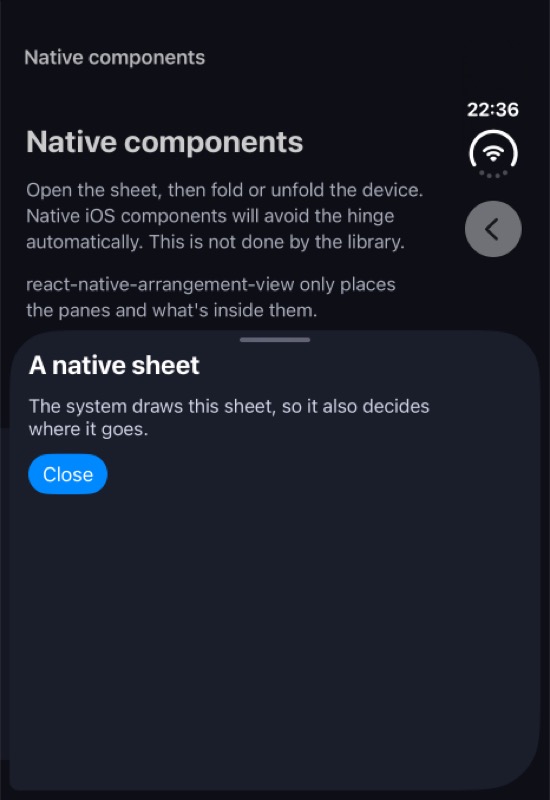iOS
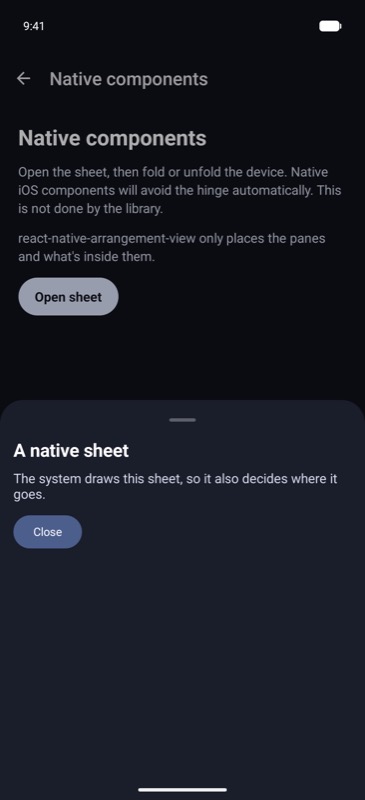Android
Open
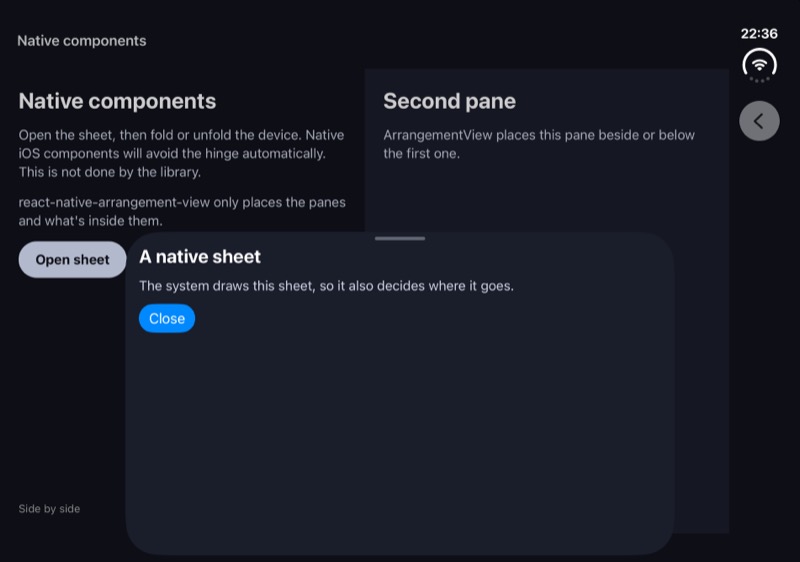iOS
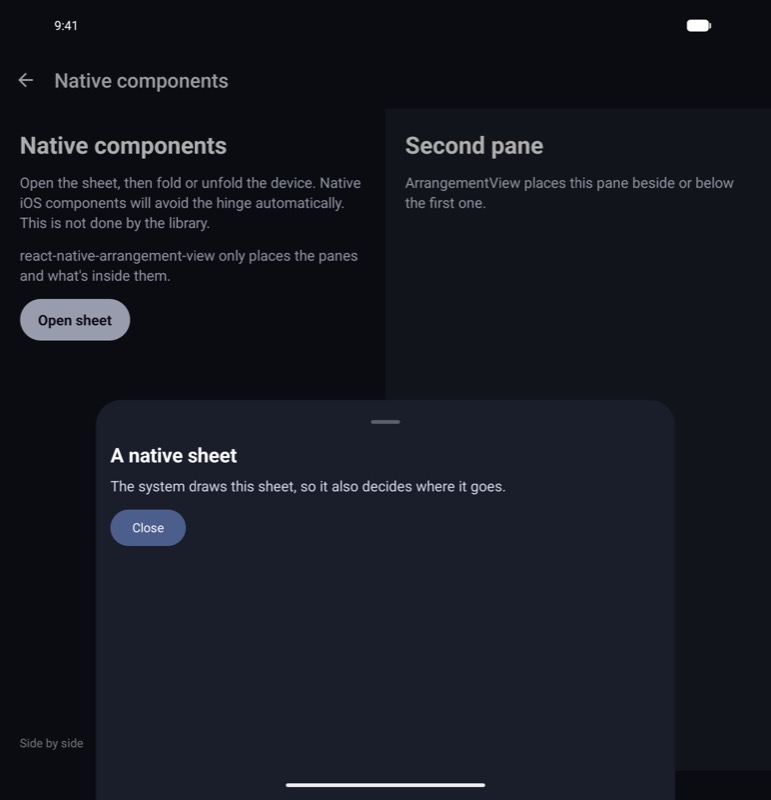Android
Book
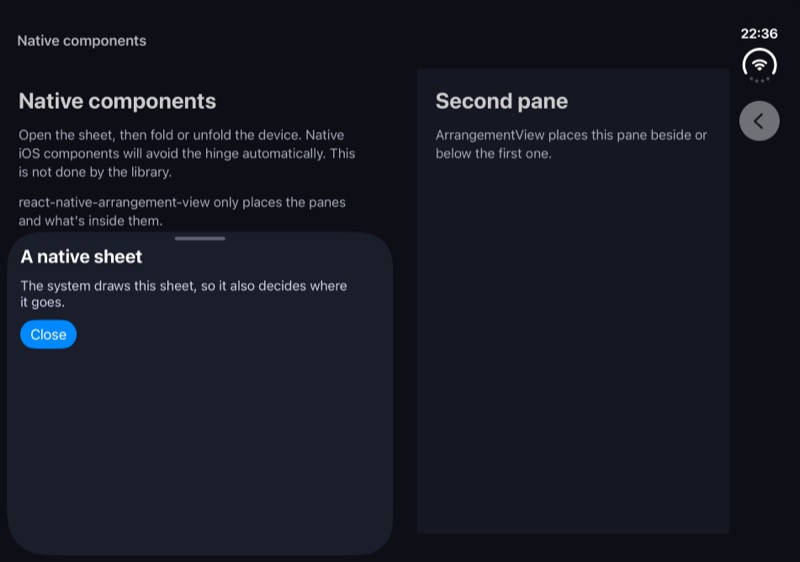iOS
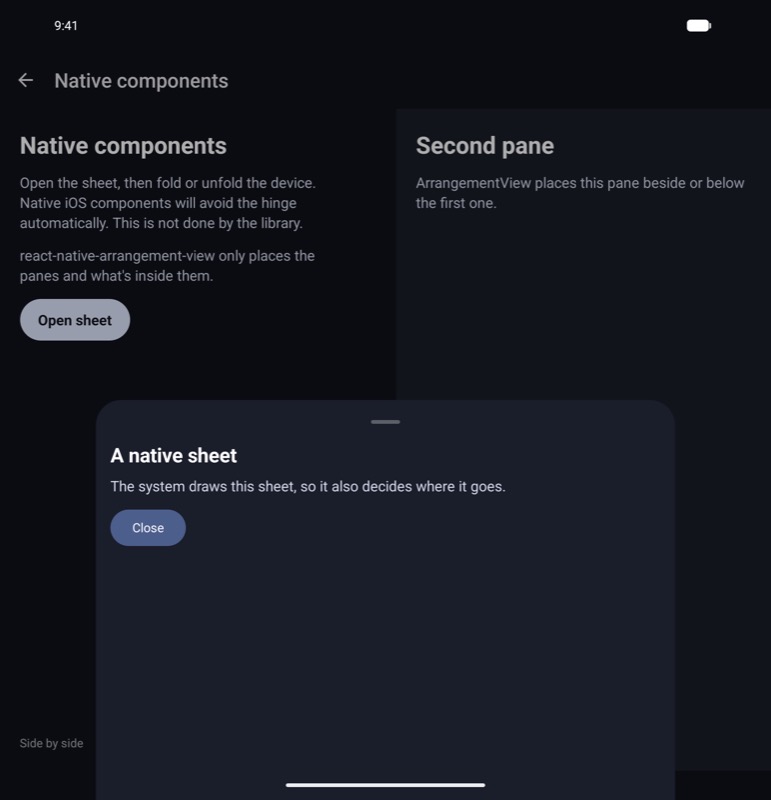Android
Tabletop
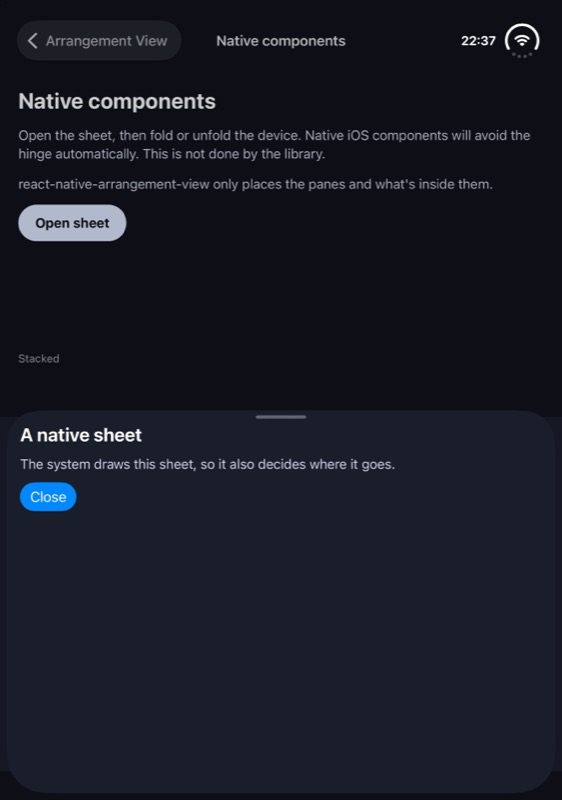iOS
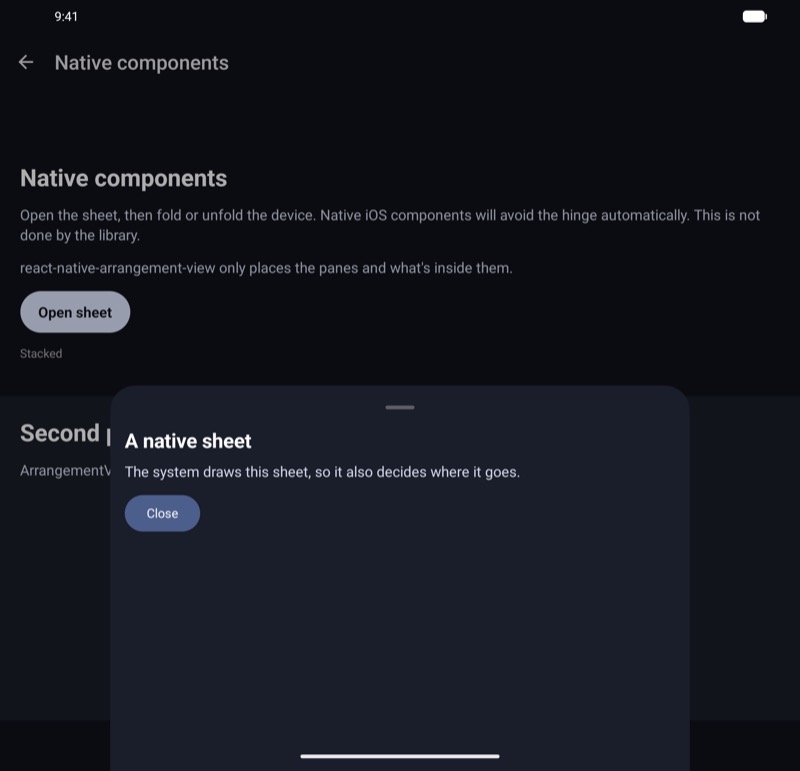Android