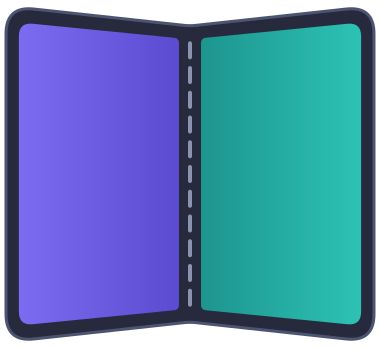
How panes are arranged
Each platform follows its own conventions. iOS delegates arrangement to SwiftUI's ArrangementView. Android has no system equivalent, so the library applies Material's adaptive layout rules, the ones behind Compose's calculatePaneScaffoldDirective, to the window size and the fold that Jetpack WindowManager reports.
axes names the directions in which panes may be placed: "horizontal" is side by side, "vertical" is stacked. A split along an excluded axis never happens; the primary pane shows alone instead.
iOS
- A half-open hinge splits the panes on either side of it, keeping 20 pt clear on each side of the crease.
- Otherwise the size classes decide. Side by side needs a regular horizontal size class and stacked a regular vertical one. When both are regular, the arrangement's longer side is halved. When both are compact, as on an iPhone in landscape, the primary pane shows alone.
overlayputs both panes at full size, primary in front. A half-open hinge separates them, with the primary after the hinge: on the trailing side, or below it.
Android
- The window decides how many panes fit: two side by side from 840 dp wide, and never in a window under 480 dp tall, such as a phone in landscape, which Android's guidance considers too short for two panes. Two stacked fit in tabletop posture, or in a single-column window at least 900 dp tall.
- A hinge that
hingePolicyavoids decides the axis, and the panes are separated byhingeGapcentred on the crease. A half-open hinge splits the panes whatever the window size, as on iOS; a flat one only where two panes fit anyway. When the split doesn't fit, oraxesexcludes it, the primary pane shows alone on the leading side of the hinge, or above it. - Otherwise the panes halve the arrangement and touch.
overlayputs both panes at full size, primary in front. An avoided hinge separates them, as on iOS.- Right-to-left layouts put the primary pane on the right.
Where the platforms differ
See the platform comparison for screenshots of each posture and orientation.
Fallback
When running below iOS 27.1 or building with an older SDK:
splitdisplays only the primary pane. The secondary React tree remains mounted but is outside the visible native hierarchy.overlaylayers primary over secondary at full size.axeshas no effect. Hinge state remains unavailable.
Android has no fallback mode: a device without a fold is arranged as flat, and its hinge state is unavailable.