For AI agents: the complete documentation index is available at /react-native-arrangement-view/v0.5/llms.txt, the full documentation bundle is available at /react-native-arrangement-view/v0.5/llms-full.txt, and this page is available as Markdown at /react-native-arrangement-view/v0.5/examples/native-components.md.

Native components

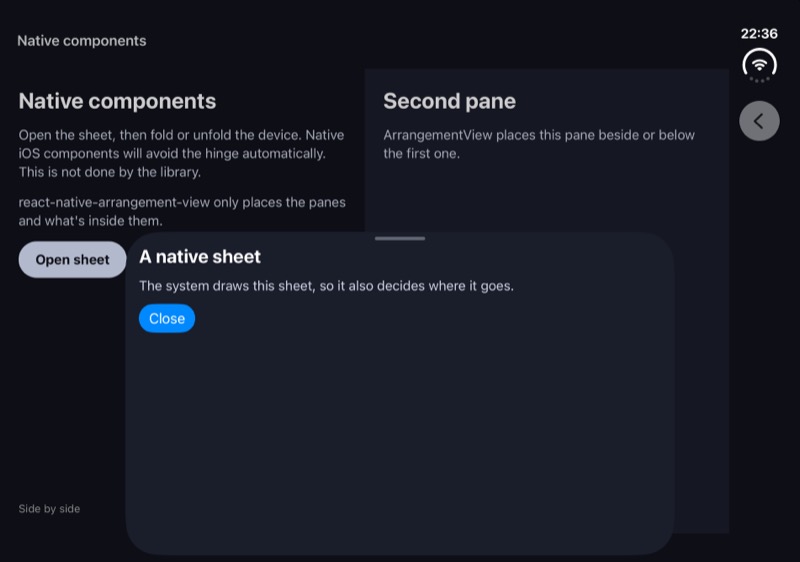
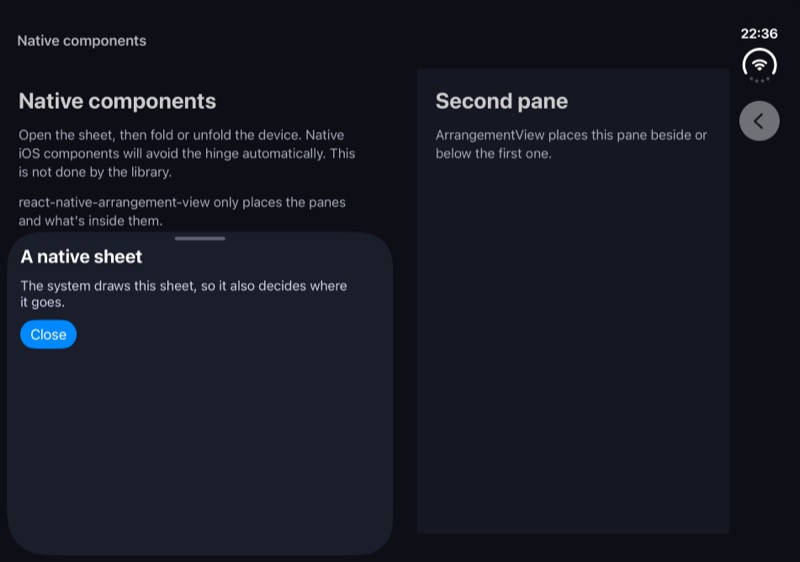
On iOS, native components avoid the hinge automatically. In this example, when in Book posture, iOS moves the bottom sheet to the left half.

react-native-arrangement-view only places the ArrangementView.Primary and ArrangementView.Secondary panes, and whatever is inside them.

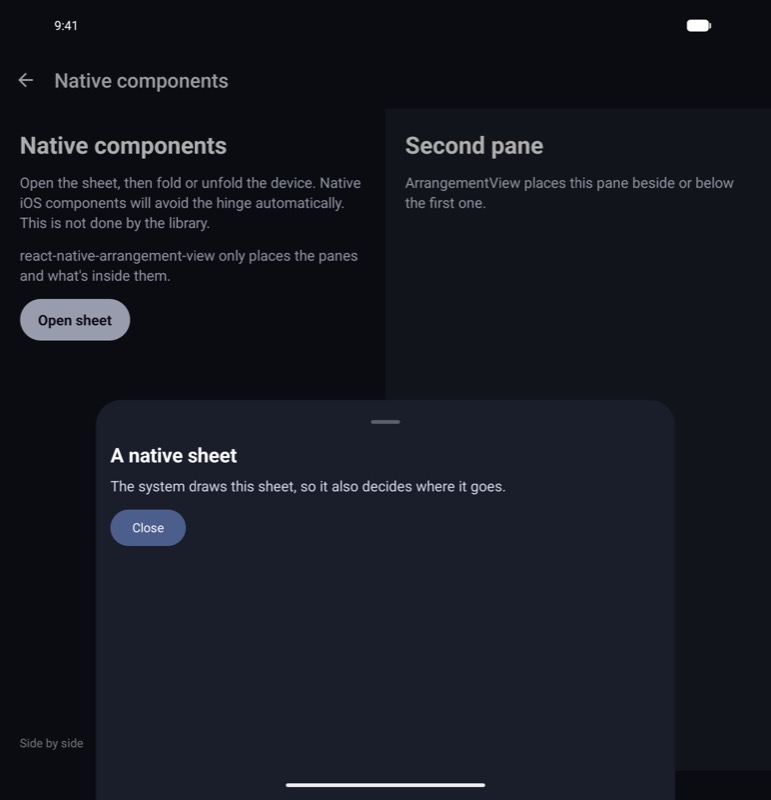
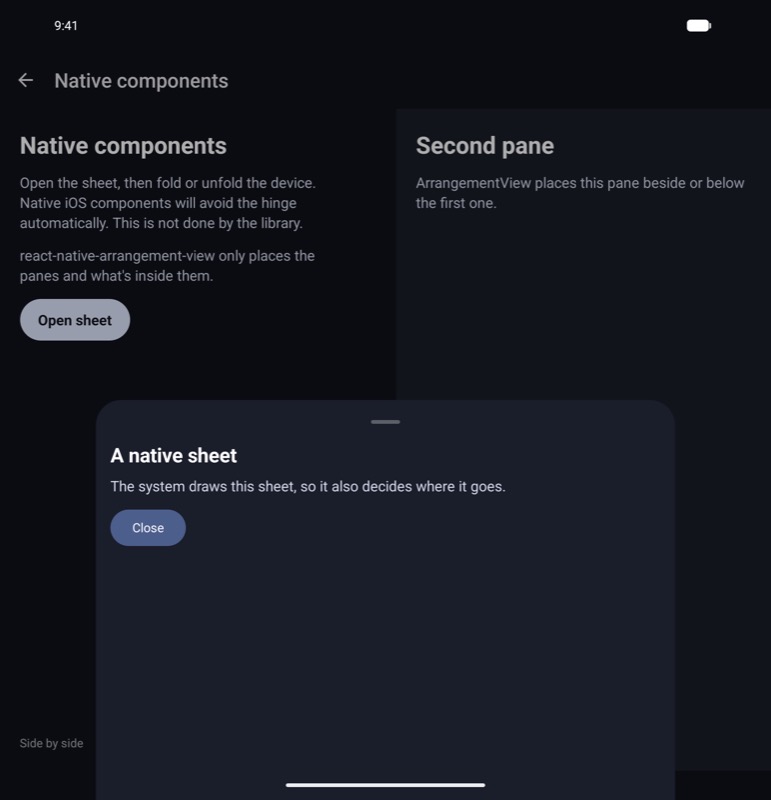
On Android, Material's bottom sheet doesn't move when folding. It stays in the middle.

This example opens the bottom sheet from Expo UI over an ArrangementView. The full example is in the example app.

Rendering the native component

Render a native component anywhere in the screen (outside the ArrangementView). In this example, we're using BottomSheet from Expo UI, but you can use any native component.

import { useState } from 'react';
import { BottomSheet, Button, Column, Spacer, Text } from '@expo/ui';
import { ArrangementView } from 'react-native-arrangement-view';

export function NativeComponents() {
  const [sheetShown, setSheetShown] = useState(false);

  return (
    <>
      <ArrangementView style={{ flex: 1 }}>
        <ArrangementView.Primary>
          <FirstPane onOpenSheet={() => setSheetShown(true)} />
        </ArrangementView.Primary>
        <ArrangementView.Secondary>
          <SecondPane />
        </ArrangementView.Secondary>
      </ArrangementView>

      <BottomSheet
        isPresented={sheetShown}
        onDismiss={() => setSheetShown(false)}
        snapPoints={['half', 'full']}
      >
        <Column spacing={12}>
          <Text>A native sheet</Text>
          <Button label="Close" onPress={() => setSheetShown(false)} />
          <Spacer flexible />
        </Column>
      </BottomSheet>
    </>
  );
}

Screenshots

PostureiOSAndroid
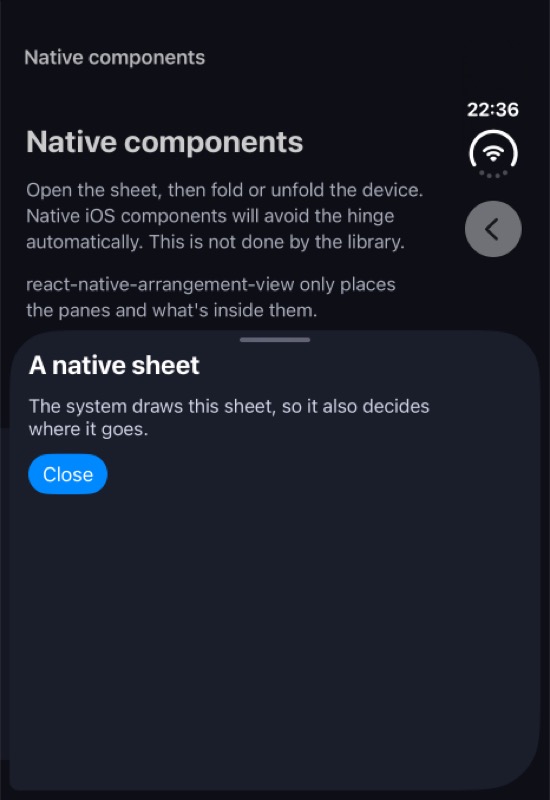
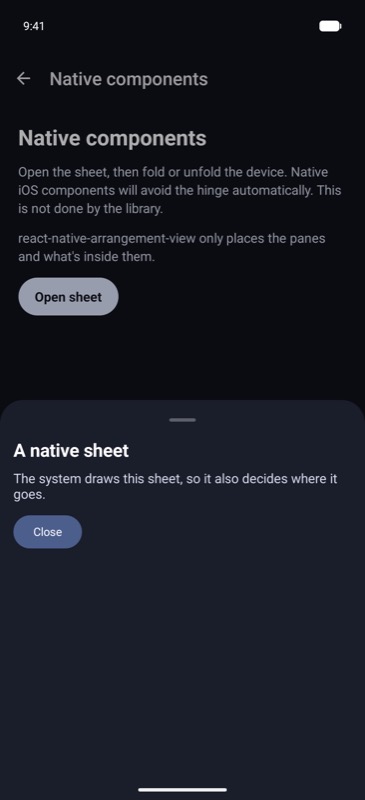
ClosedThe sheet covers the bottom of the screenThe same
Open flatThe sheet sits in the middle, over both panesThe same
BookThe sheet moves to the left half, away from the foldThe sheet stays in the middle, on the fold
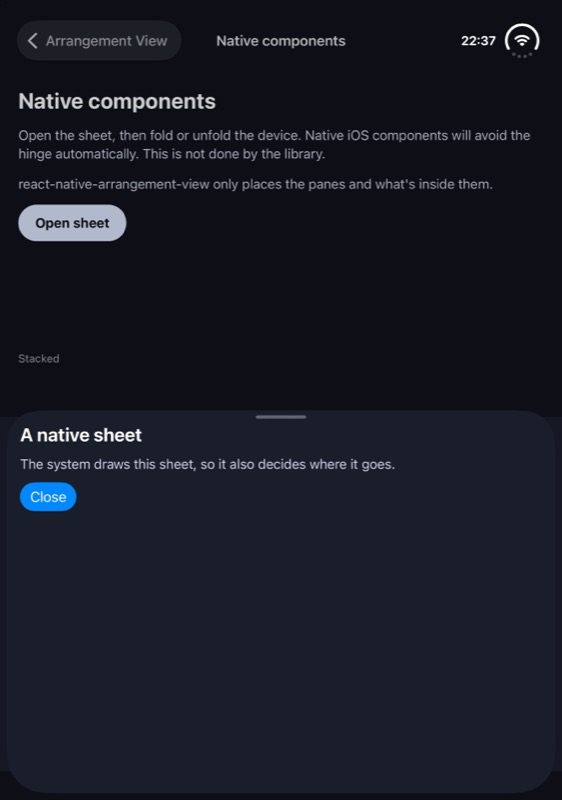
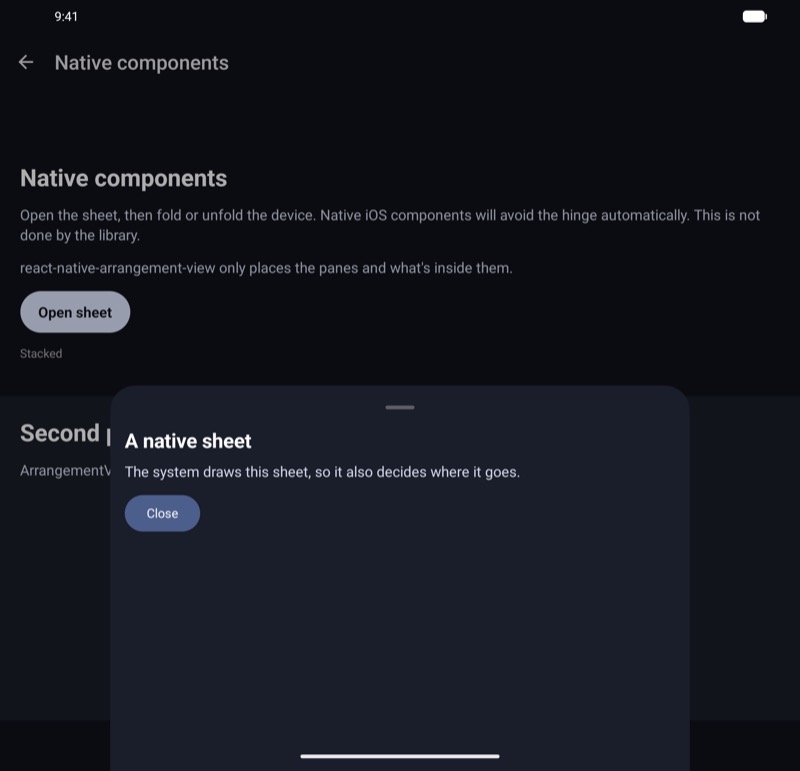
TabletopThe sheet covers the bottom halfThe same
Closed
iOS, closediOS
Android, closedAndroid
Open
iOS, openiOS
Android, openAndroid
Book
iOS, bookiOS
Android, bookAndroid
Tabletop
iOS, tabletopiOS
Android, tabletopAndroid