For AI agents: the complete documentation index is available at /react-native-arrangement-view/v0.5/llms.txt, the full documentation bundle is available at /react-native-arrangement-view/v0.5/llms-full.txt, and this page is available as Markdown at /react-native-arrangement-view/v0.5/examples/tent-posture.md.

Tent posture iOS only

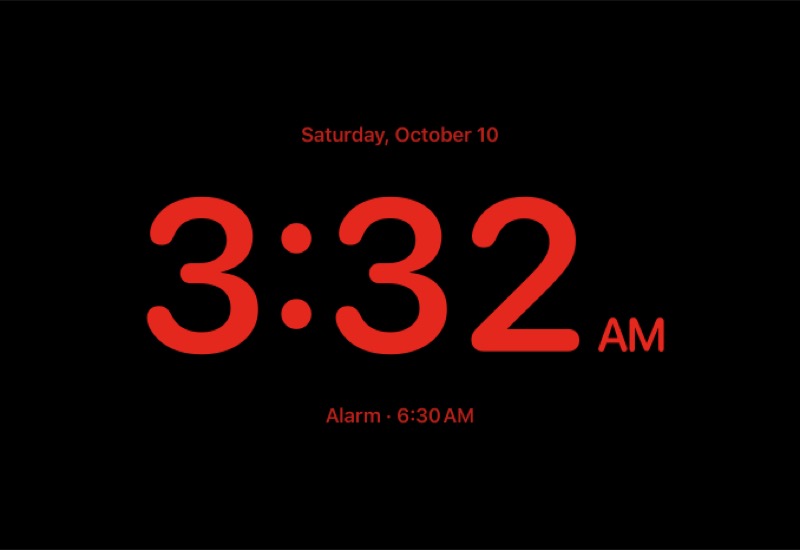
Stood up as a tent, with the inner display folded inwards, iPhone Duo keeps the app on the outer display, in landscape. iOS has no tent state. useHingeChange reports the angle the hinge is open at, around 81°, but its status lags behind the angle: a tent reached from closed reads closed, and one reached from open reads partiallyOpen. So don't look for a status. What makes a tent is the hinge being open while the app is on the outer display, which in landscape is a window with a compact height:

import { useWindowDimensions } from 'react-native';
import { useHingeChange } from 'react-native-arrangement-view';

function Primary() {
  const hinge = useHingeChange();
  const { height } = useWindowDimensions();
  // Open past 30° (0.5 rad), yet in a window under 480 pt tall, a compact
  // height: the outer display, in landscape. The inner one is never that short.
  const tent = (hinge.angle ?? 0) > 0.5 && height < 480;

  return tent ? <TentView /> : <NormalPrimary />;
}

This follows Apple's guidance for iPhone Duo: there is no system pose, so infer one from the hinge angle, the orientation and the size class together, and keep the hinge for interactions and effects while the arrangement does the layout. Both thresholds are heuristics. Apple does not guarantee the precision or update rate of angle, so check the behavior on hardware.

Android has no tent posture either. A Pixel foldable hands over to its inner display as soon as it is open a little way, about 30° on the emulator, and from there WindowManager reports a half-open fold, which ArrangementView splits across. So the check above is true on Android only for a moment, with the cover display outwards.

Hiding headers and indicators

Usually in Tent posture, we want a fullscreen without distractions. Use the tent state to hide the navigation header, auto-hide the home indicator, and remove safe areas.

The header and the safe area belong to the screen, which is outside the panes. Mount a HingeObserver above your navigator, and the screen can read the hinge itself. useHingeSelector keeps it from rendering again at every angle on the way:

function Screen() {
  const open = useHingeSelector((hinge) => (hinge.angle ?? 0) > 0.5);
  const { height } = useWindowDimensions();
  const tent = open && height < 480;

  const navigation = useNavigation();
  useLayoutEffect(() => {
    navigation.setOptions({ headerShown: !tent, autoHideHomeIndicator: tent });
  }, [navigation, tent]);

  return (
    <SafeAreaView
      style={styles.screen}
      edges={tent ? [] : ['left', 'right', 'bottom']}
    >
      <ArrangementView style={styles.screen}>
        <ArrangementView.Primary>
          {tent ? <TentView /> : <NormalPrimary />}
        </ArrangementView.Primary>
        <ArrangementView.Secondary>
          <Secondary />
        </ArrangementView.Secondary>
      </ArrangementView>
    </SafeAreaView>
  );
}

Example

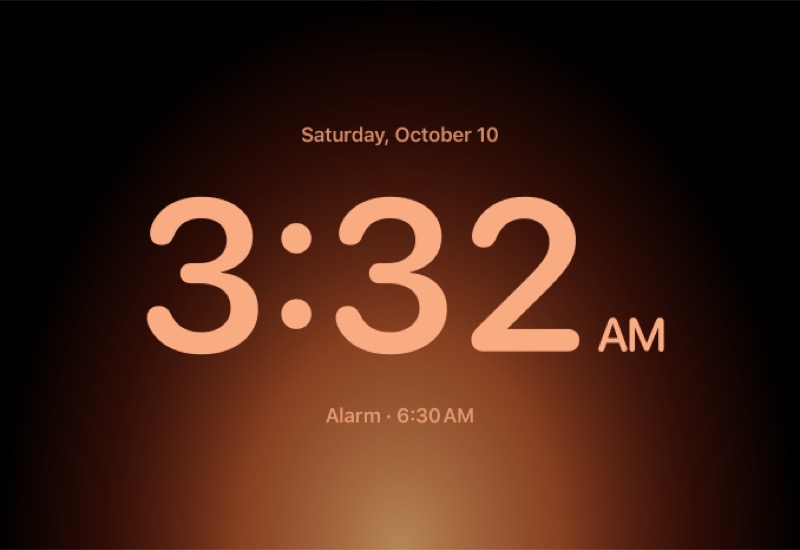
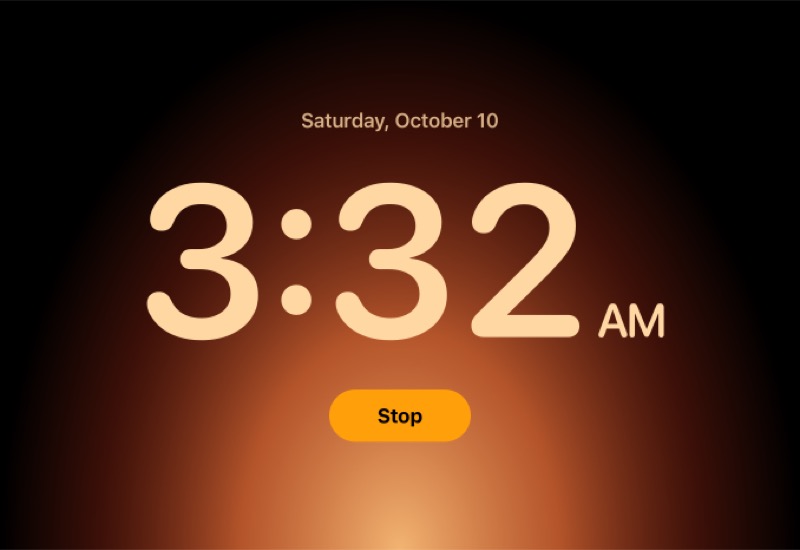
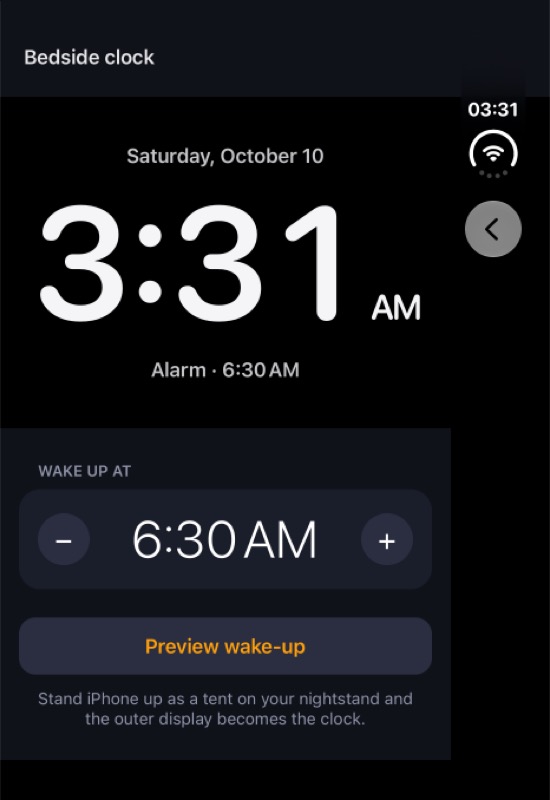
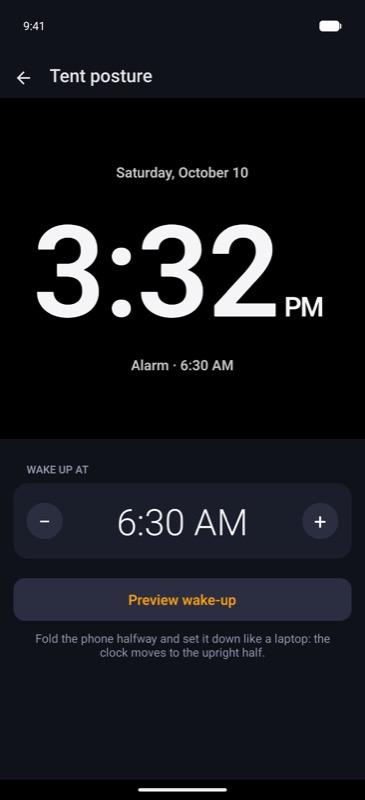
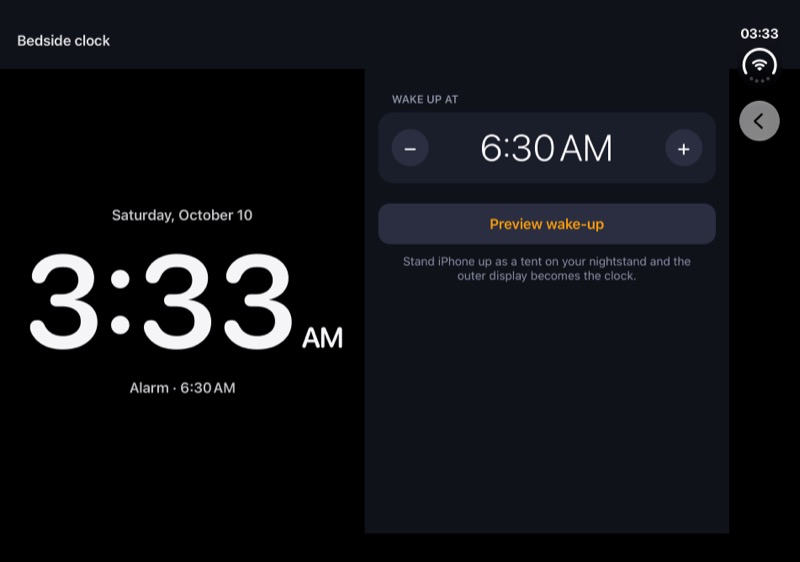
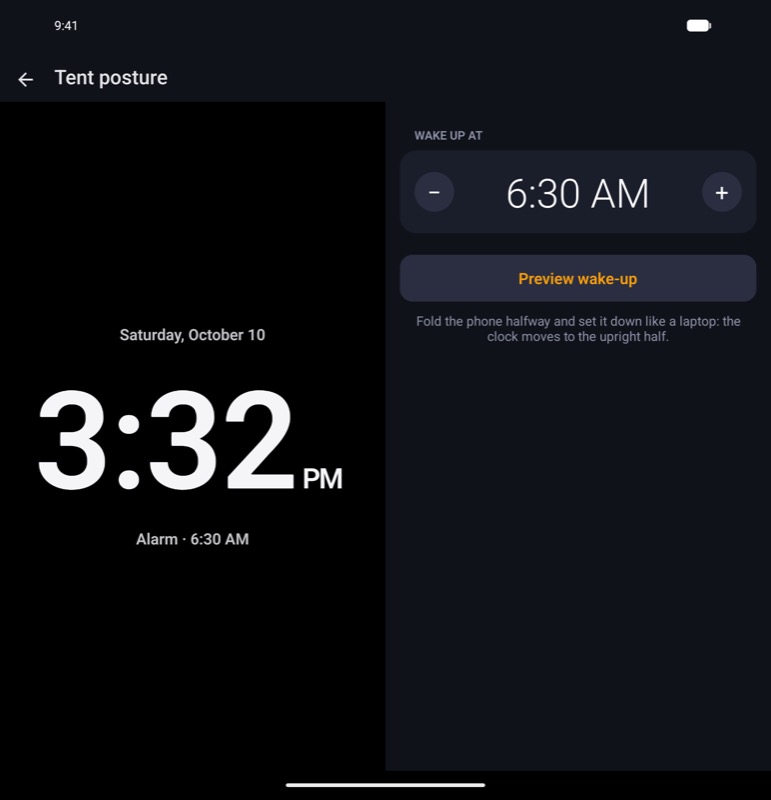
The example app shows a bedside clock after the one Apple showed with iPhone Duo. The clock is the primary pane, so it's what shows where only one pane fits, and the alarm's settings are the secondary pane. In a tent, the clock fills the outer display in red, like StandBy at night. "Preview wake-up" plays the glow that comes before an alarm.
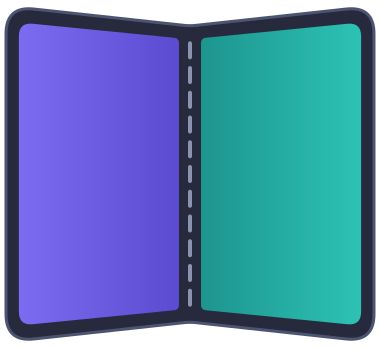
PostureLayout
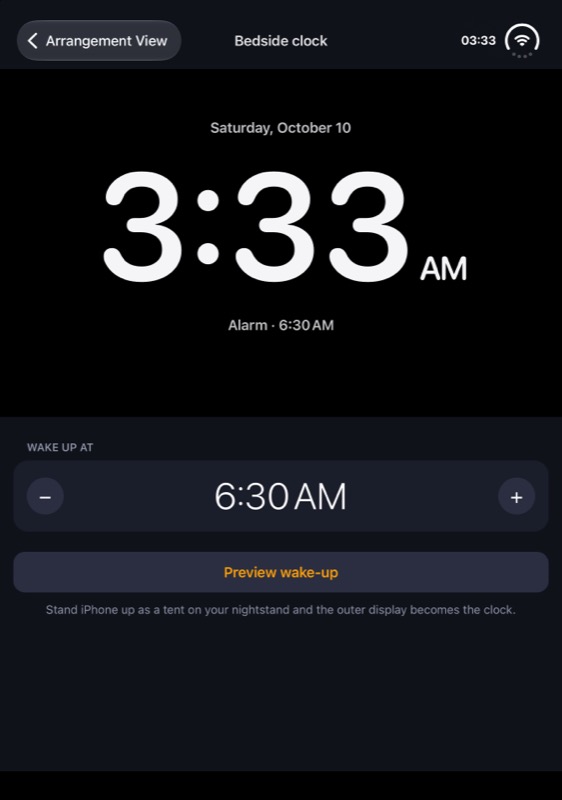
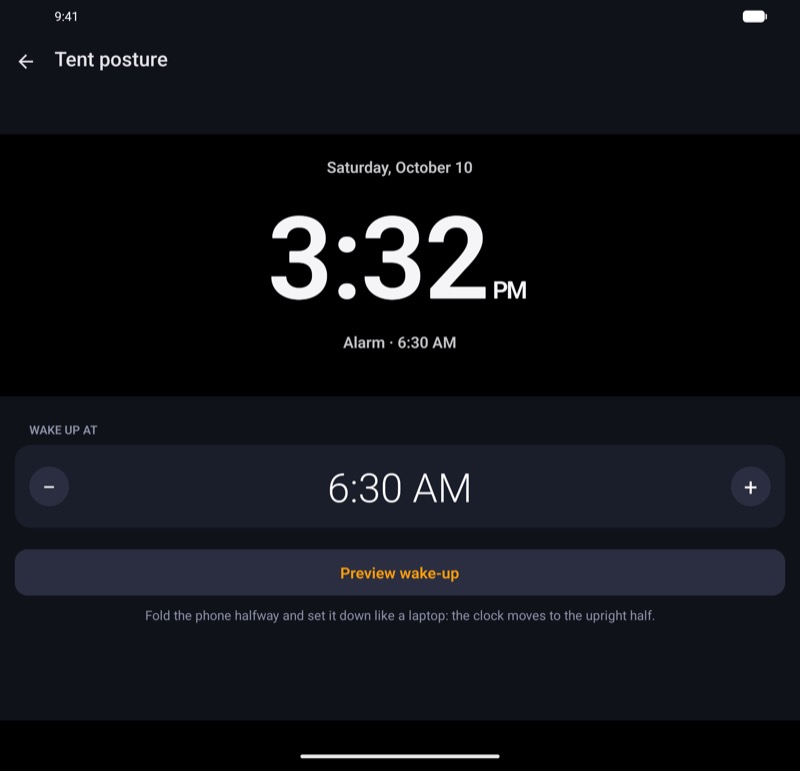
ClosedThe clock, with the settings stacked below it. A shorter cover display, under 900 dp tall on Android, fits the clock only
Half-open, tabletopThe clock on the upright half, and the settings on the half on the table
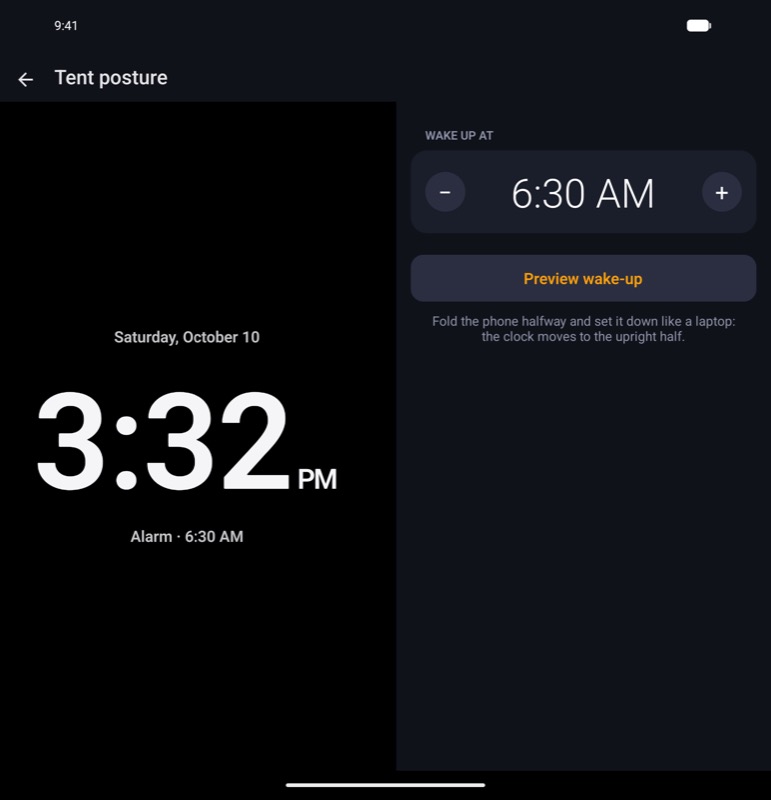
Half-open, bookThe clock on the leading half, and the settings on the trailing half
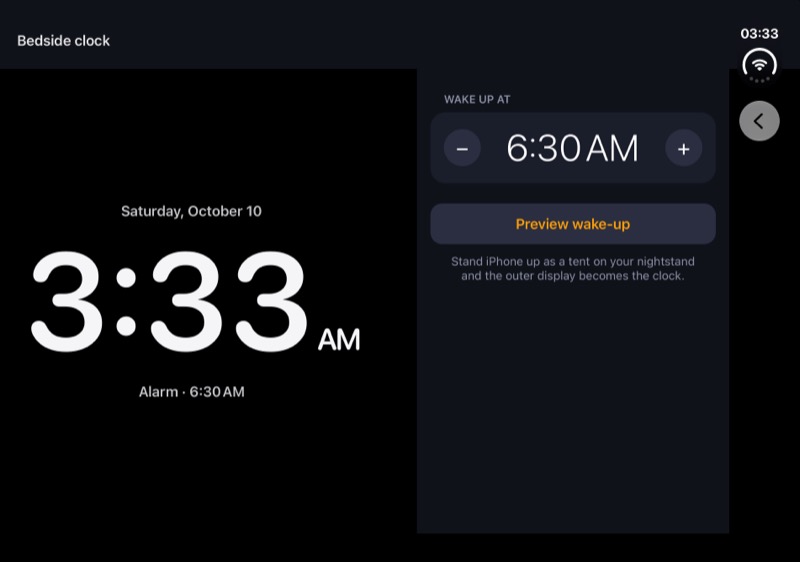
Open flatThe clock and the settings side by side
TentThe clock alone, in red, on the outer display. It warms as the glow rises, until the alarm rings
Tent
iOS, tentiOS
Tent, the glow rising
iOS, tent, the glow risingiOS
Tent, the alarm ringing
iOS, tent, the alarm ringingiOS
Closed
iOS, closediOS
Android, closedAndroid
Tabletop
iOS, tabletopiOS
Android, tabletopAndroid
Book
iOS, bookiOS
Android, bookAndroid
Open
iOS, openiOS
Android, openAndroid